 klutter
§01 · Features & capabilities
Everything a selling operation needs, in one app.
klutter replaces the pile — the crosslister, the spreadsheet, the store subscription, the payout calculator — with one back office built for how small sellers actually work.
§02 · AI assist
From photo to listing
 From photo to listing
Point your phone at the item — klutter does the typing.
- Bulk add: snap a photo or two, tap once, and move straight on to the next item — klutter gets to work in the background.
- The AI reads the photo and drafts the title, description, brand, condition and category — and suggests a price, with its reasoning. You check it over, done.
- Add a whole shelf of stock in minutes; every item lands as a tidy draft, ready to list.

§03 · Sell everywhere
Multi-marketplace listing
 Multi-marketplace listing
List once, appear everywhere — without retyping the same item five times.
- Publish to eBay and your own store straight from klutter, with per-marketplace prices, categories and item specifics.
- For marketplaces that don’t connect directly — Vinted, Facebook Marketplace, Depop and more — our browser extension fills in their sell form from your item, photos included, then records the live listing the moment you hit publish.
- Bulk listing: select a batch of items, pick the marketplaces, fill in what’s missing once, and list the lot in one run.
- Schedule listings to go live at the right moment, and watch views and watchers per listing.
§04 · One inventory
Never oversell
 Never oversell
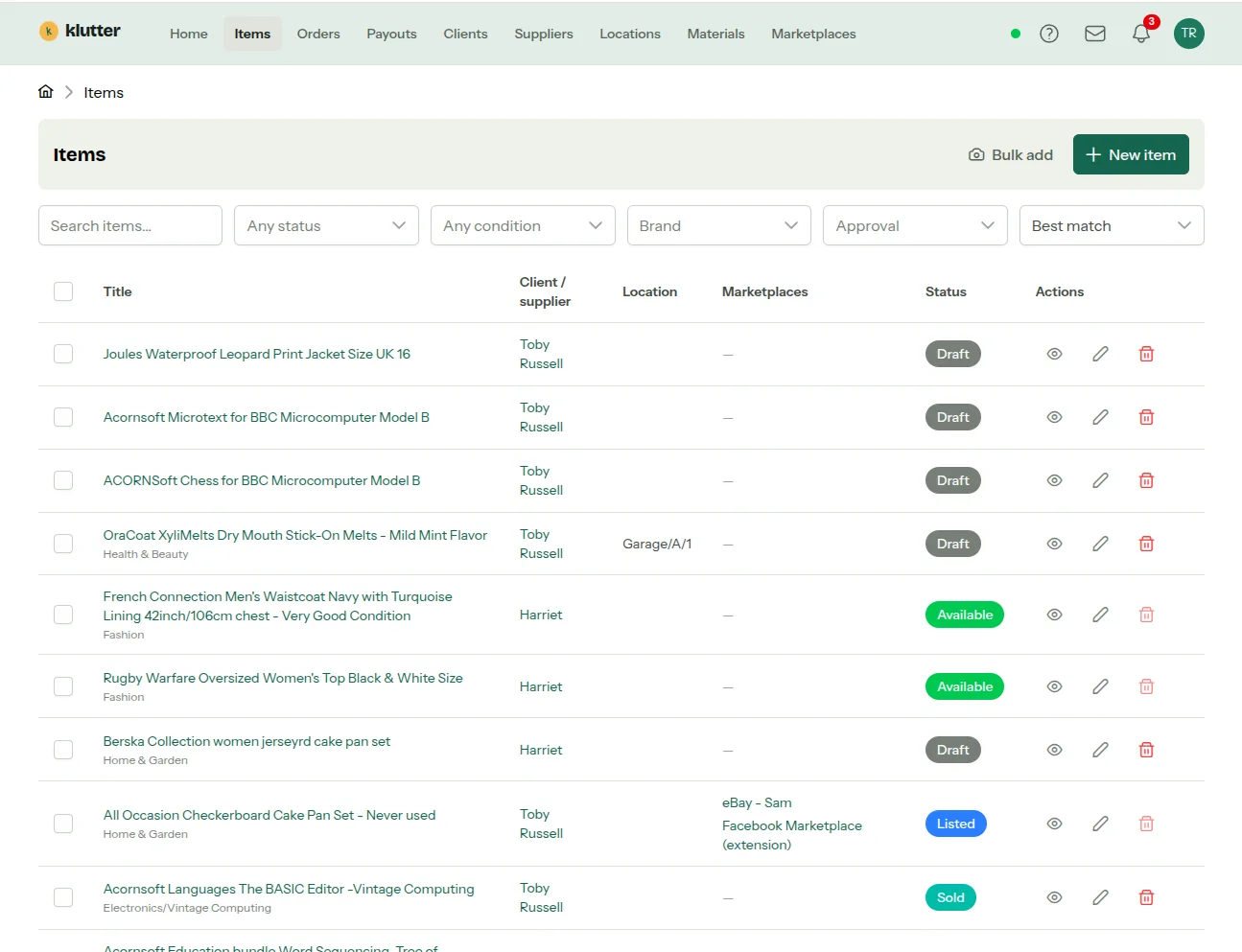
One stock record sits behind every listing, so a sale anywhere updates everywhere.
- When an item sells, its listings on other marketplaces come down automatically wherever klutter is connected.
- Where it doesn’t, you get an immediate email and action list telling you exactly which listings to end — before a second buyer finds them.
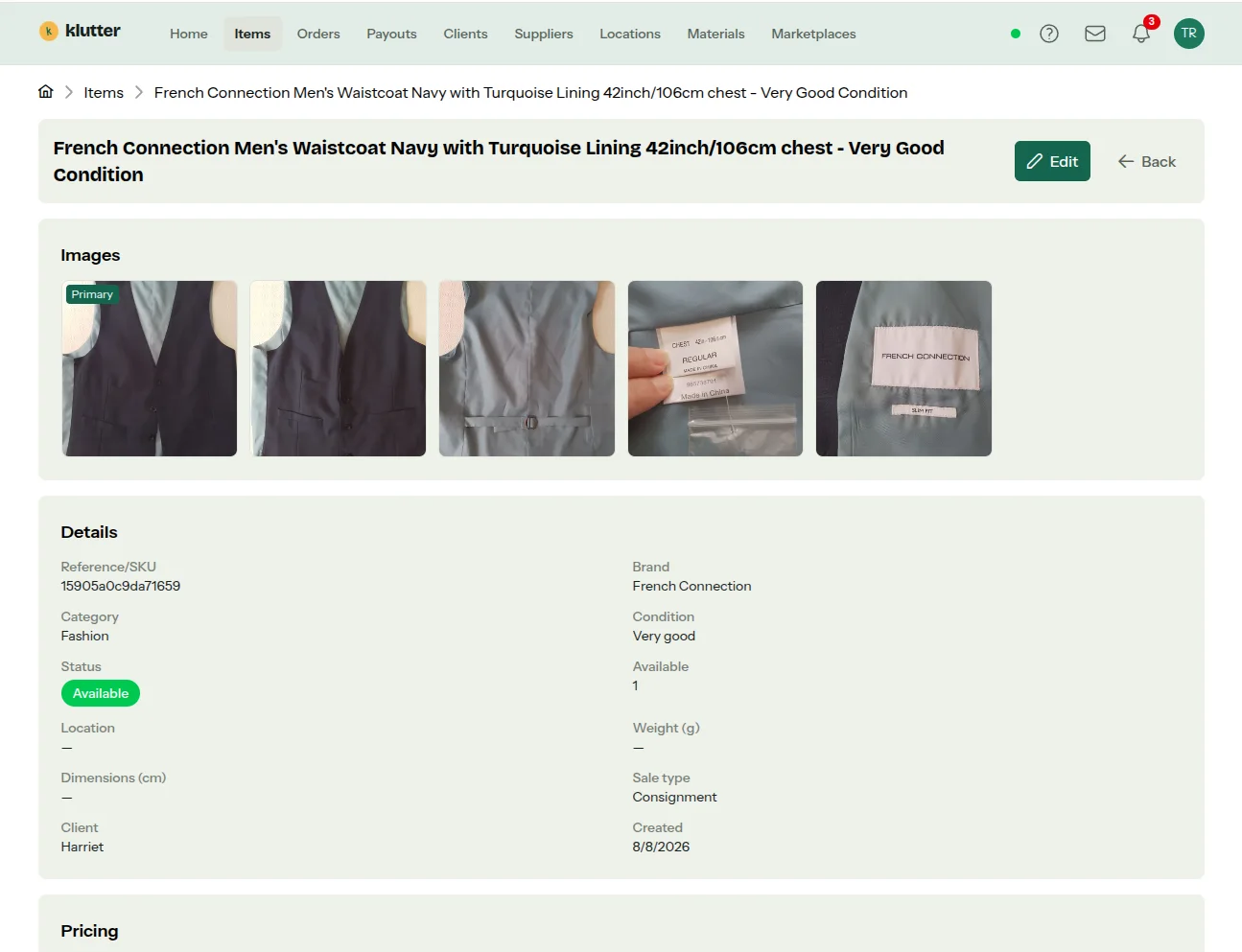
- Items carry photos (with background removal built in), condition, categories, locations and full history.
§05 · Your own shopfront
A web store included
 A web store included
A proper web shop at your own address, easy for Google to find — without paying for yet another monthly service.
- Pick a theme, set your palette, fonts and logo; content pages with a block editor; discount codes with minimum spends and usage limits.
- Card payments at checkout (powered by Stripe), with your own postage prices and free-postage thresholds.
- Your own web address, visitor counts, the behind-the-scenes details Google looks for, and a proper cookie notice — the boring-but-required parts, done.
§06 · Consignment, done properly
Clients, splits and payouts
 Clients, splits and payouts
If you sell on behalf of others, klutter is your back office — not a spreadsheet.
- Price-banded revenue splits per client (e.g. 60/40 under £50, 80/20 over £200), computed automatically on every sale.
- A client portal where consignors see their items, sales and earnings, approve or reject proposed listings, and submit new items for you to sell.
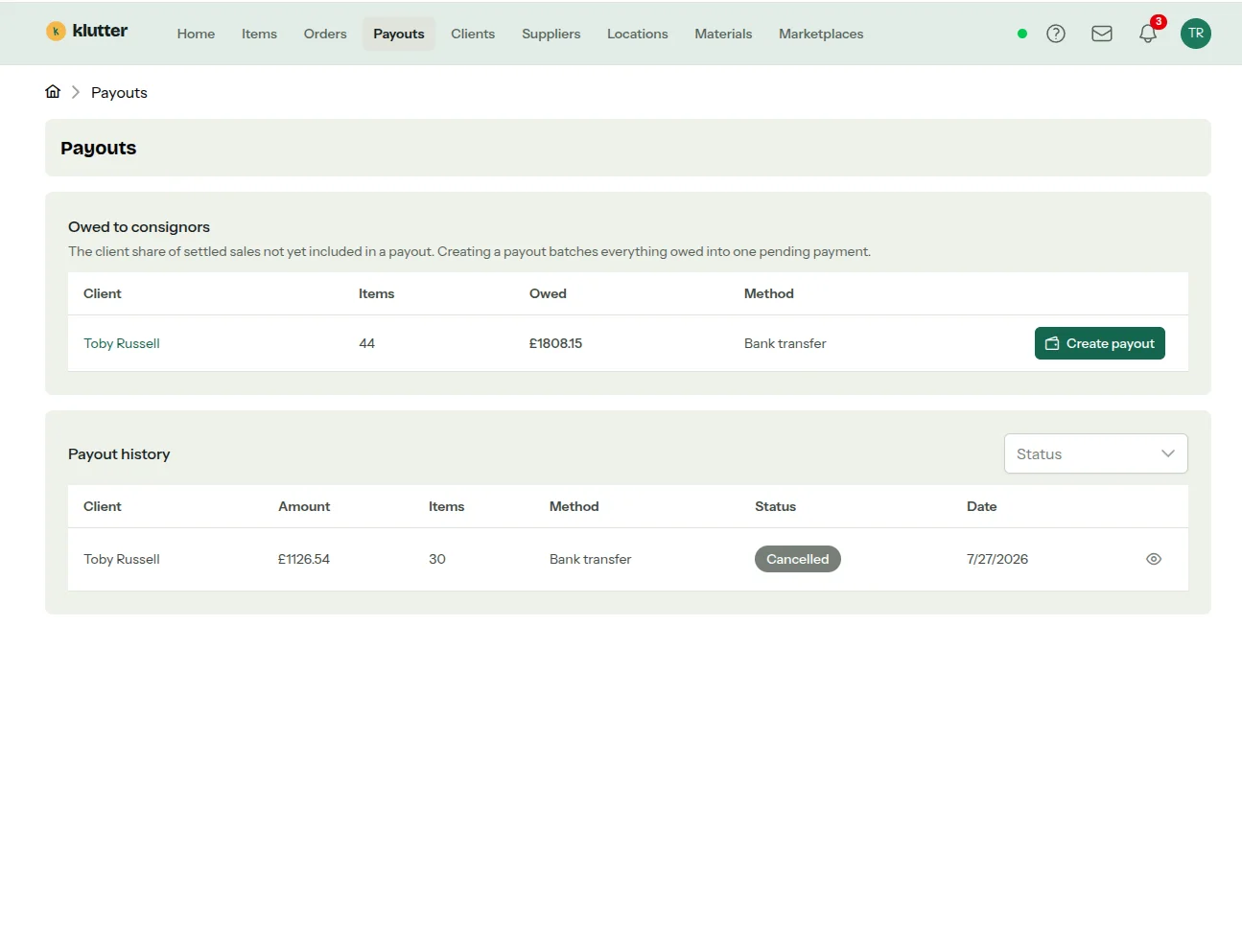
- A payouts ledger that tracks exactly what each client is owed, batches it into payments, and emails them an itemised statement when you pay.
§07 · The money
Orders, finances and UK VAT
 Orders, finances and UK VAT
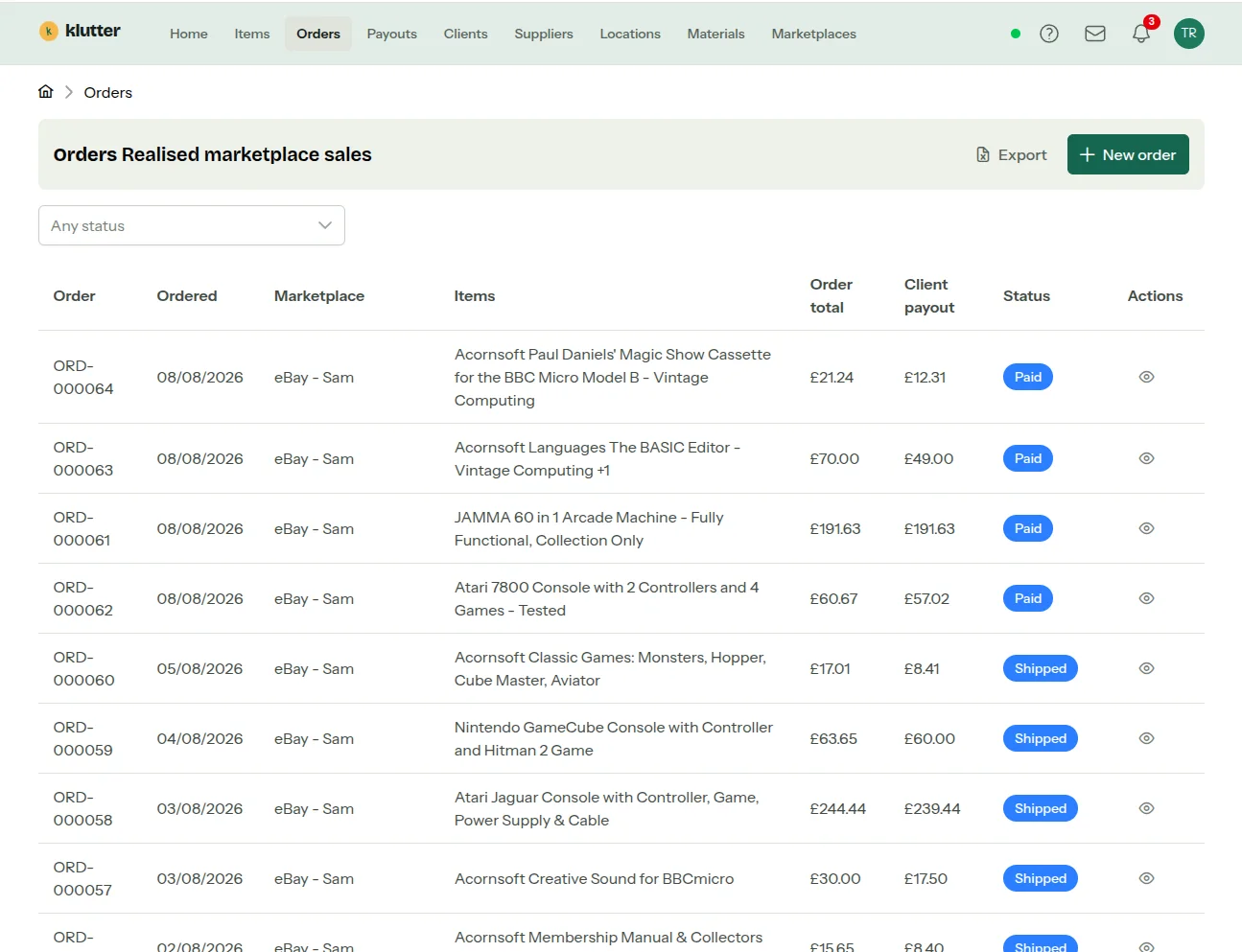
Every sale from every channel in one list — with the tax reality handled.
- Orders flow in from your marketplaces and store automatically, with refunds, restocking and per-line economics.
- UK VAT support including the second-hand margin scheme — the part most selling tools ignore entirely.
- Dashboards for weekly listings, sales and revenue, plus at-a-glance counts of what needs your attention.
§08 · The day-to-day
Small conveniences that add up
 Small conveniences that add up
The admin around selling, quietly taken care of.
- One inbox for buyer messages — eBay messages, your store’s contact form and website enquiries side by side, with replies from klutter.
- AI-assisted price estimates when you’re not sure what something is worth.
- Notifications (in-app, email and mobile push) for the events that matter: sales, submissions, approvals, take-downs.
- Works on your phone, in 14 languages, with a customisable dashboard.